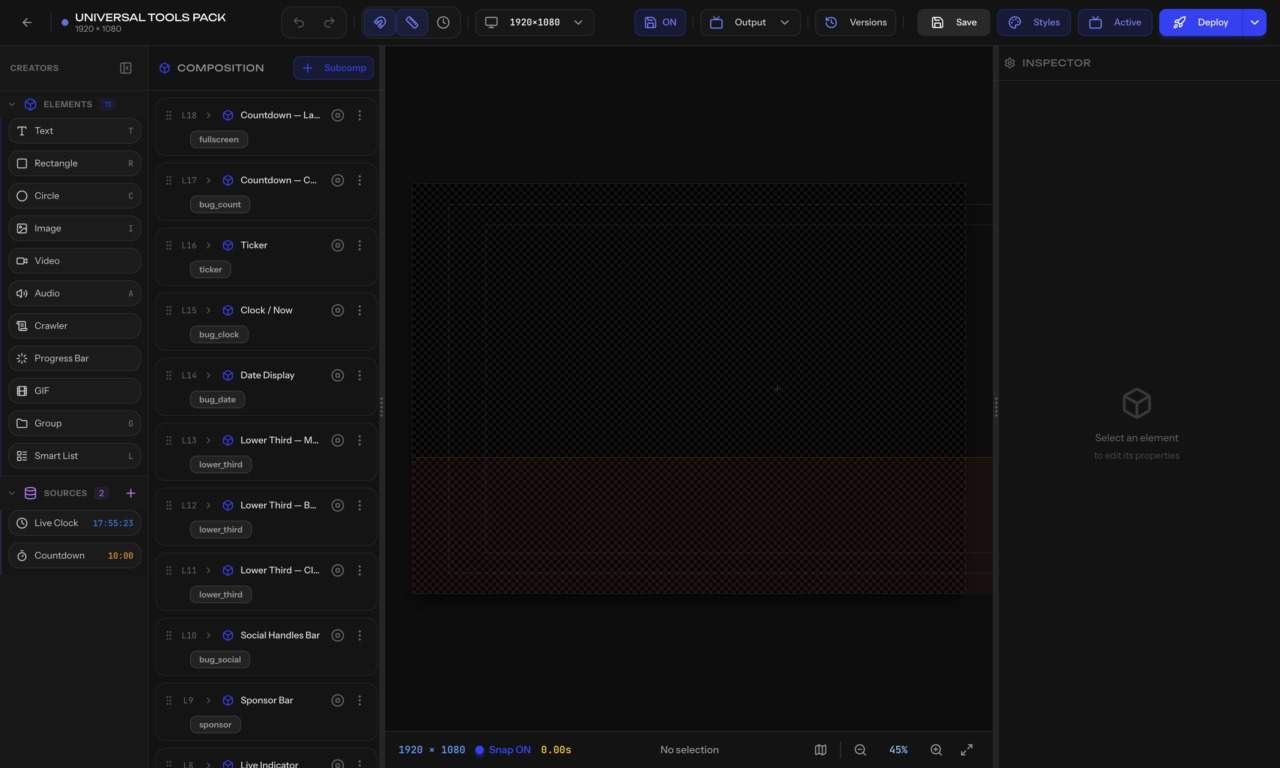
The Graphics Editor has four main areas.
Shows the hierarchy of your graphic: subcompositions, groups, and elements. Click any item to select it on the canvas. Drag items to reorder.
The main design area where you see and edit your graphic at 1920×1080. You can:
Also called the Property Panel. Shows properties for the selected element. The content changes based on what you select:
Contains quick actions: undo, redo, zoom controls, safe area toggles, deploy button, and settings.