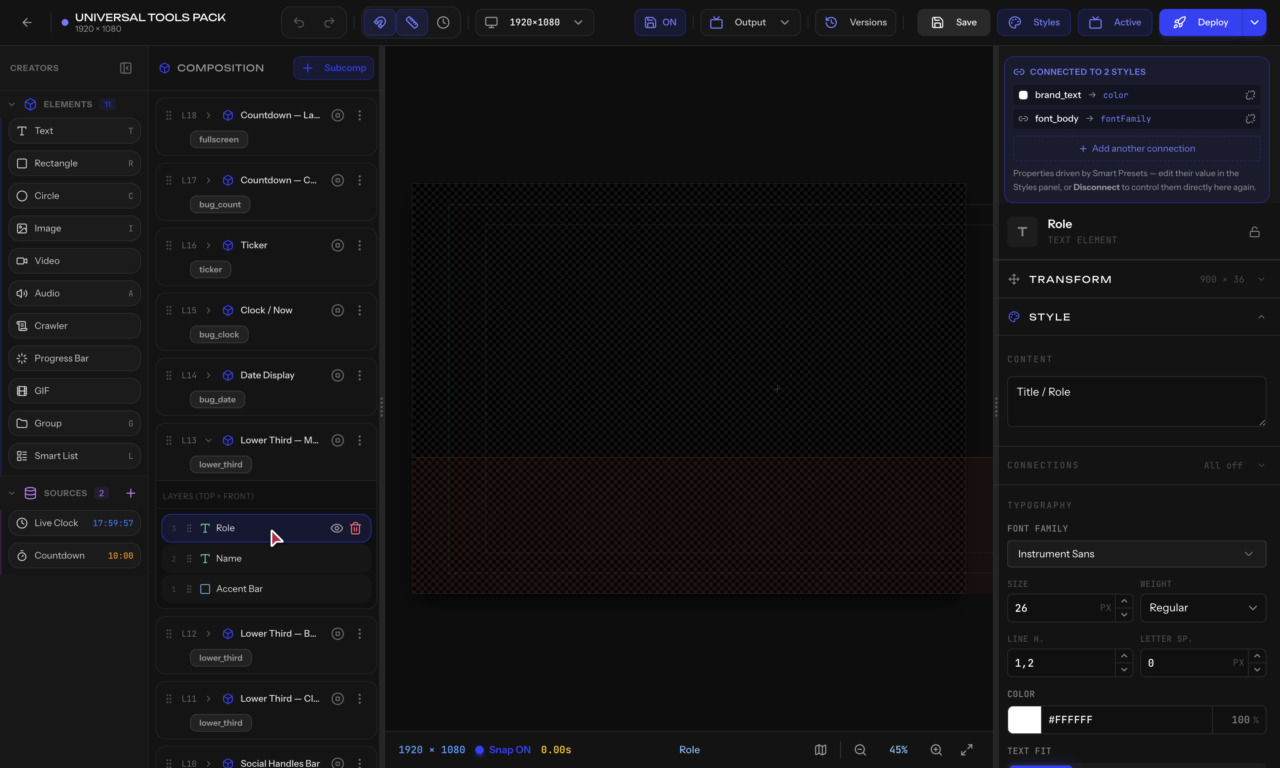
The Property Panel — labeled Inspector in the editor — is the right-side panel. It shows the settings for whatever you have selected. The top of the panel has a Smart Presets bar (connect the element to a reusable style) and the bottom has the Animation section.
How it works
The panel is dynamic — it changes based on what you select:
Text Properties
- Content — The text to display
- Font — Choose from system fonts or uploaded custom fonts
- Size — Font size in pixels
- Color — Text color picker
- Alignment — Left, center, right
- Weight — Normal, bold
- Shadow — Add drop shadow with offset and blur
- Letter Spacing — Space between characters
Rectangle Properties
- Fill — Background color
- Border — Color, width, style
- Border Radius — Round corners (individually per corner)
- Opacity — Transparency from 0% to 100%
Image Properties
- Source — URL or asset from Smart Drive