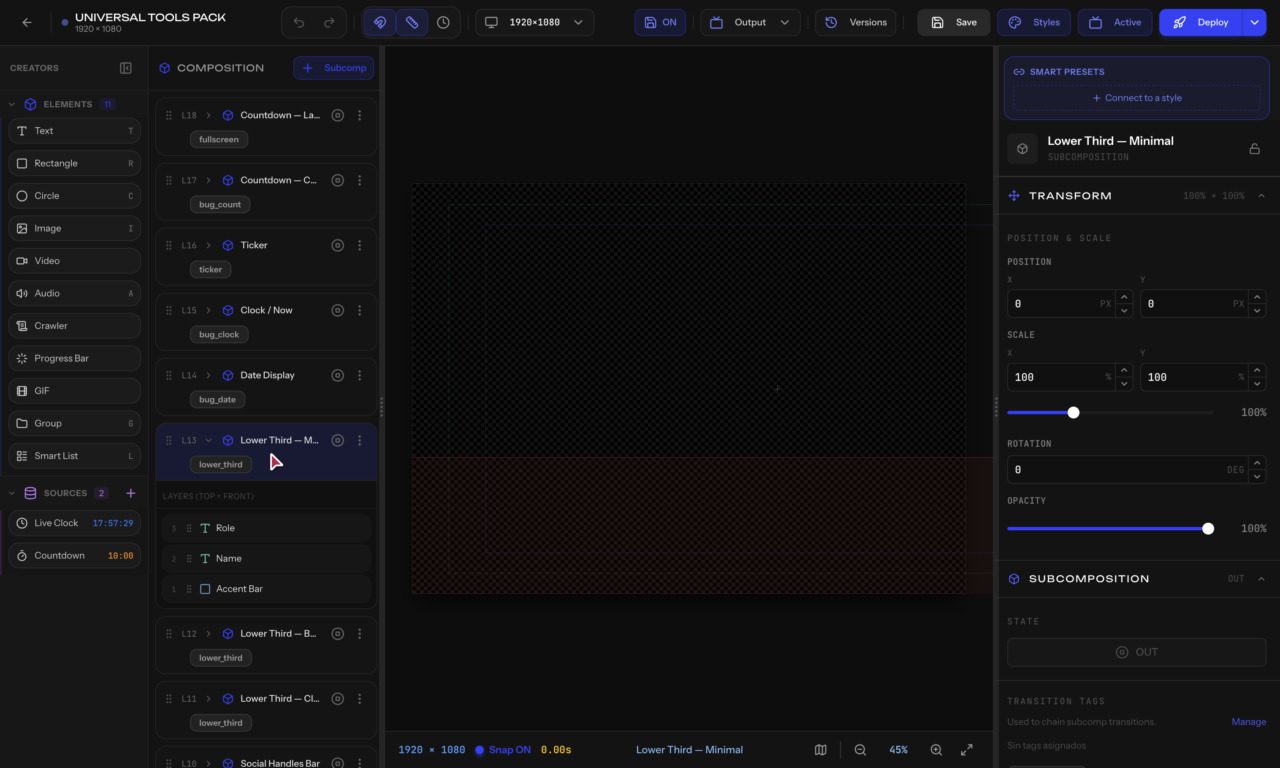
The Composition Tree is the left panel in the editor that shows the structure of your graphic.
What it shows
A tree view of all elements in your graphic, organized by:
- Subcompositions (top level — your controllable overlays)
- Groups (folders to organize elements)
- Elements (text, shapes, images, etc.)
Actions
- Click an item to select it on the canvas
- Right-click for context menu (rename, duplicate, delete)
- Drag items to reorder or move between groups
- Eye icon — Toggle visibility in the editor
- Lock icon — Prevent accidental selection/editing
Adding Items
- Click + Subcomp to create a new overlay
- Drag elements from the Elements panel
- Right-click > Add Group to create a folder
Tips
- Name your subcompositions clearly (e.g., "Lower Third", "Score Bug") — these names appear in Smart Control
- Use groups to keep complex overlays organized