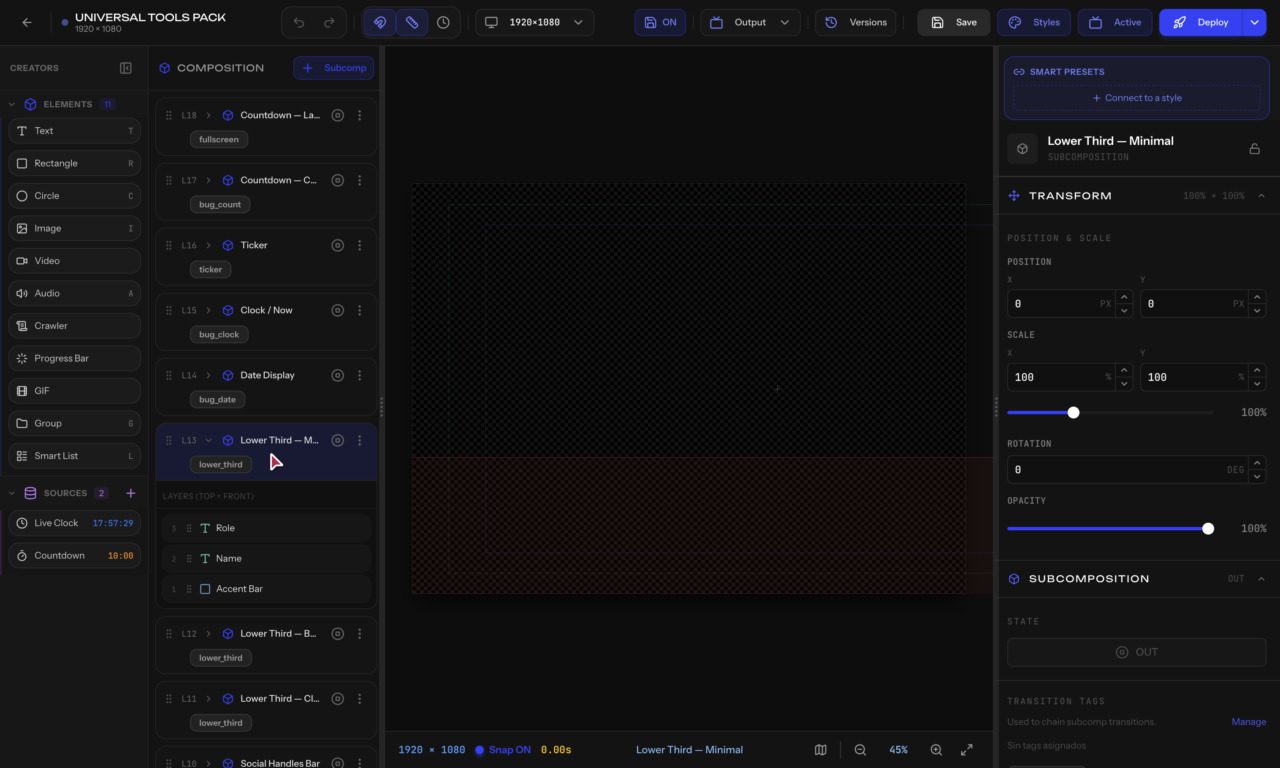
Every graphic in SmartPanel follows a hierarchy. Understanding it is key to building effective overlays.
Composition (your graphic)
└─ Subcomposition (an overlay you can control)
   └─ Group (optional folder to organize)
      └─ Element (text, image, shape, etc.)
The top-level container. It represents your entire graphic canvas at 1920×1080 resolution. You have one composition per graphic.
The most important concept. A subcomposition is an overlay — the unit you control during a live show. Each subcomposition can be independently brought IN (visible) or OUT (hidden).
For example, a single graphic might have:
Each one appears and disappears independently.
An optional folder to organize elements. Groups don't affect how overlays work — they just keep your tree tidy. You can nest groups inside groups.
The actual visible objects on your canvas: